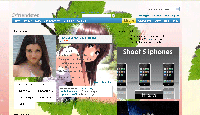
Showing posts with label edit layout. Show all posts

Thursday, April 9, 2009

Easy steps to change friendster layout

Goto www.friendster.com/editskin.php, and after login with your email n password Click at - Edit Profile > Click - Customize > Scroll down your mouse and you will see two textbox ,
for example look at this post :>> Layout Friendster beauty girl


layout friendster

Thursday, March 5, 2009

Change Friendster Layout

here's steps to edit your friendster layout profile:

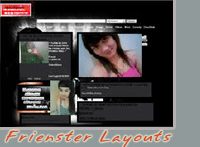
-Choose your pict from friendster skins site, for example at here : Frienster Layouts-1, there choose friendster layouts /left .then click at picture ,and you will get code of the picture under ''Spread VixenArt '' [right-click and copy]

- Then, goto www.friendster.com/editskin.php , and after login with your email n password ,[Home > Edit Profile> Customize] then Paste the code at ''Advanced users : Personaliza your profile with css''menu.'[or Customize CSS box - menu]

-So, click save , and click ''View your profile now'' , to see the changes you've made.
-Finish

Related :

Cara mengganti tampilan friendster


Menghias friendster


Cara pasang yahoo messenger di blog


Cara membuat friendster


Cara membuat Email, Website, blog


layout friendster

friendster layouts

Place yahoo pingbox in Friendster profile

With PingBox you could direct chat via YM with visitor/viewer profile FS you. Moreover the "visitor" (your friend) without necessary login to Yahoo/YM. Apart from than that, looking of PingBox more good-looking and could be edited and changed .

The step in Pairing the Pinbox in Friendster

1. Login to the Yahoo account used ID Yahoo your email.
2. Already login..? Then click here to take PingBox.
3. Click the button [Create a PingBox]. Be waiting to be finished loading..
4. Choose Background theme, background color, also the measurement and the Text colour that were wanted by you
7. Then click the button [Next]
8. To the next page, click the button [Friendster]
9. The clique of the switch [Copy to Clipboard] underside it

10. Login to your Friendster.
11. click the menu [My Profile] > [edited Profile]
12. click tab [Customize].
13. Paste-would the code PingBox earlier in the box [Add Media] alias the Box Media.
14. And don't forget the click [Save]

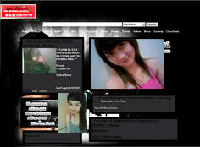
friendster layout

free layouts
layout friendster